If you enjoy exploring creativity, Photoshop and visual storytelling, you'll find more tutorials, articles and creative resources throughout my Learning Hub.

Snow Queen - several lighting techniques were used to sculpt light to add light and shade.
"Light is the thing everyone notices and nobody mentions. You'll look at a piece of digital art and feel like something's not quite right, and nine times out of ten, it's not the elements, it's the light not agreeing with itself."
Your eye already knows
Nobody taught you to read light. You've been doing it your whole life without ever thinking about it, every room you've stood in, every window you've sat near, every time you've noticed one side of something catching the light and the other side falling into shadow. That's not something Photoshop teaches you. You already came with it.
Which is exactly why a mismatch feels wrong before you can say why. Your eye catches it instantly. It just doesn't hand you the words for it. It doesn't say "your subject is lit from the left and your background is lit from the right." It just quietly whispers something's off here and leaves you to work out what.
It's never just one thing
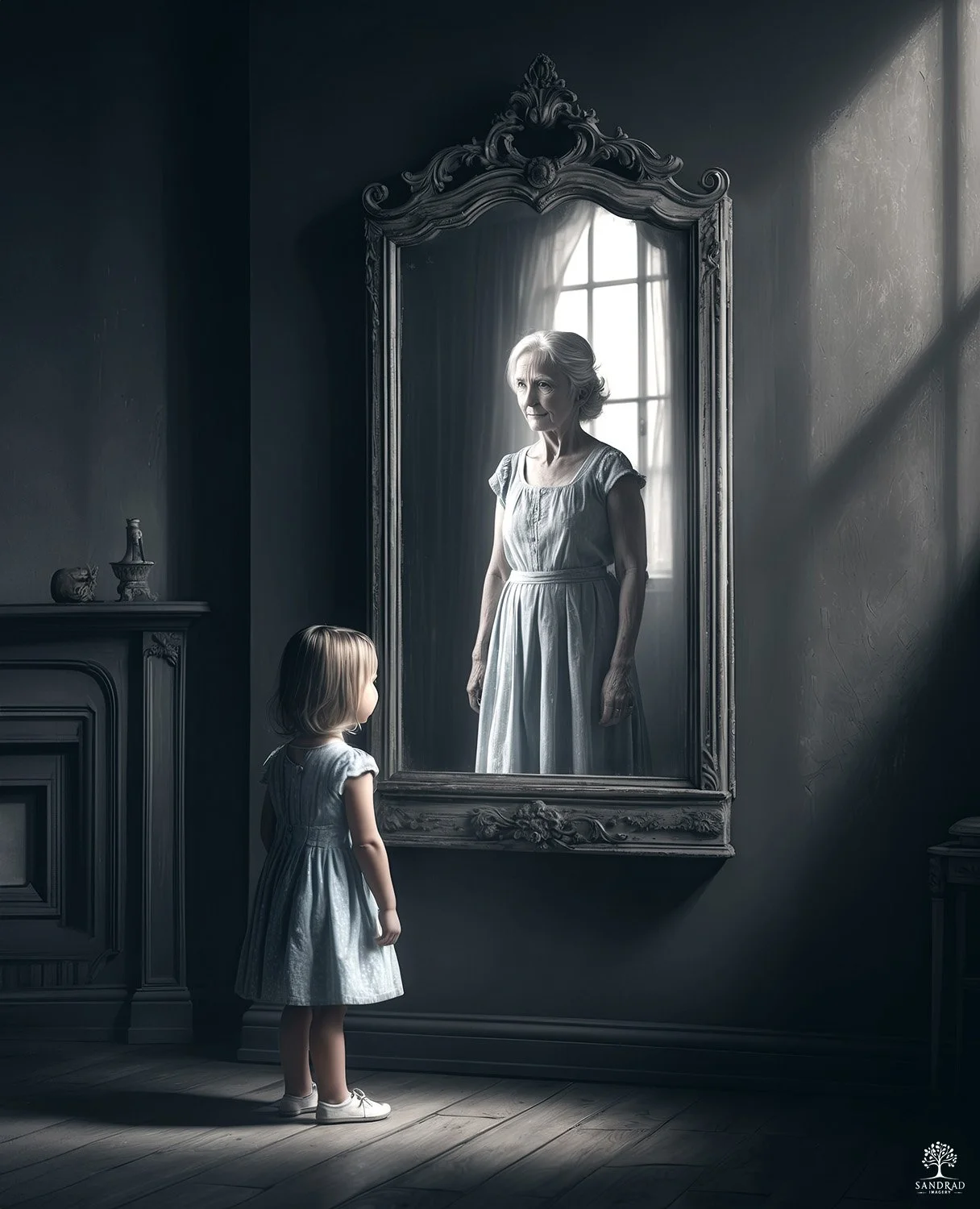
Reflection - though you can see strong light sources - window light, light on the girl and woman, there were also subtle light added to give more depth.
I think this is where people get stuck, they treat "match the light" like it's one single move. It's not. There's the direction of it. The softness or hardness of it. The warmth or coolness of it. How bright it is in one spot and how it fades away in another. All of it working together, or quietly working against each other.
You can nail three of those and still feel like the piece isn't sitting right, because the fourth one is undoing everything else without you realising it's the culprit.
The Give Away
Someone builds a beautifully soft, gently lit figure and drops them into a moody, backlit scene. The colour grading is gorgeous. The mood is there. And it still doesn't quite land, because the shadows on the figure are falling the wrong way for the world they've been placed into. No amount of colour grading fixes that. Colour can pull a piece together, but it can't turn light around.
That's usually the moment people reach for another texture, another colour tweak, trying to force the piece to feel whole. Sometimes that helps a little. But if the light underneath is still fighting itself, you're covering the issue rather than solving it.
Why nobody really teaches this part
Most Photoshop tutorials teach you the mechanics, how to mask, how to blend, how to select. Understandably, because those are the things you can demonstrate in five minutes. Light isn't really a Photoshop skill though. It's a noticing skill. It's slowing down enough to see where light falls, how it wraps around a shape, how differently it behaves depending on what it's touching, long before you open a single tool.
That kind of learning takes longer than "click here, drag this." But it's the whole difference between a piece that feels like one world and a piece that feels like several things stuck together, no matter how technically clean the edges are.
More Than Just Dodge and Burn
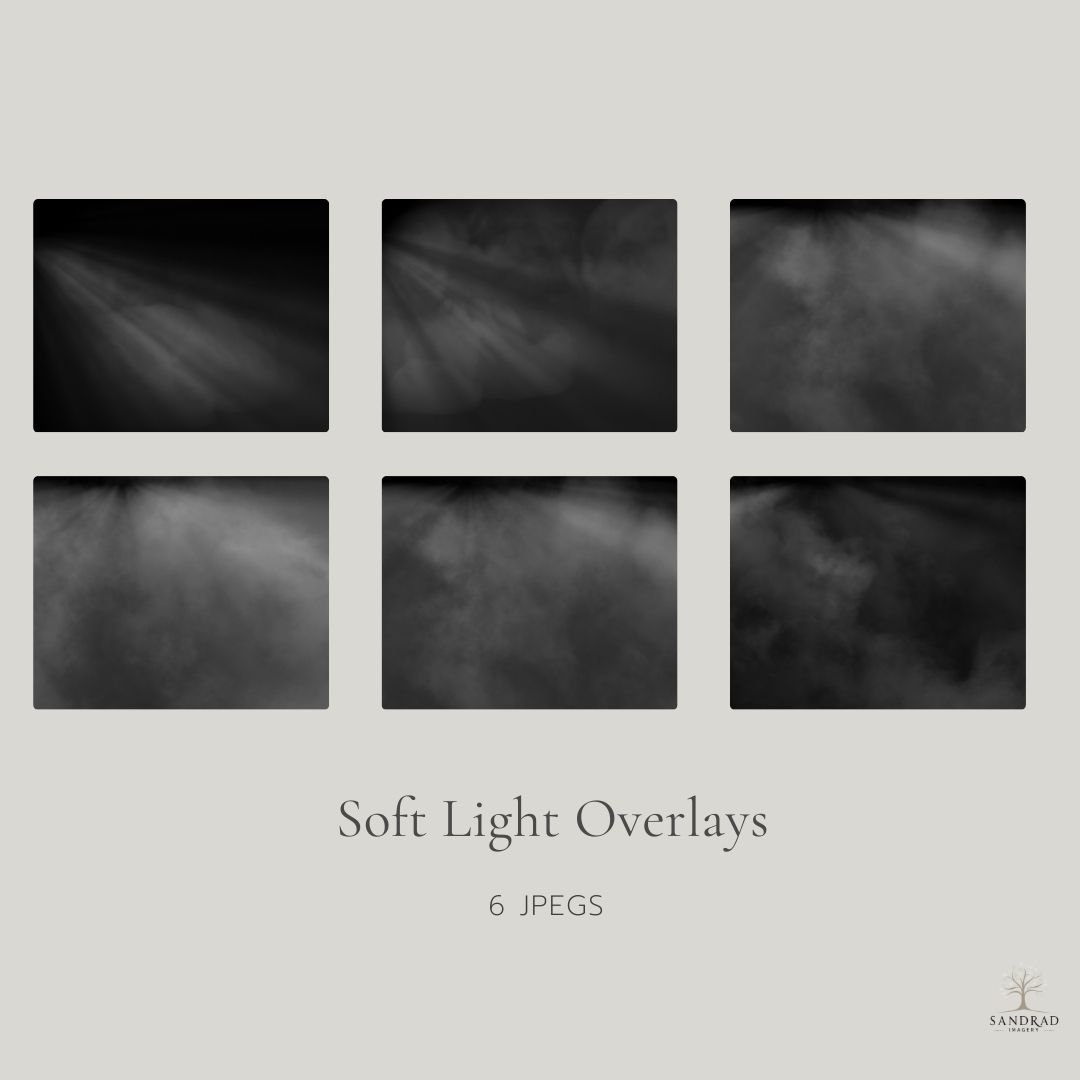
This collection of six soft light overlays is designed to add gentle light, atmosphere, and depth to your images without overpowering them.
Each overlay features subtle light rays making them ideal for composite artwork, digital art, and photography where you want to shape light, guide the eye, or enhance mood in a natural way. These overlays work beautifully when blended at low opacity, allowing you to build light gradually and keep full creative control.
When people hear "sculpt light" they usually think of one thing, dodge and burn. But it's one tool in a much bigger kit, and leaning on it alone is a bit like trying to build a whole scene with just one brush.
Depending on the piece in front of me, I'll reach for different ways to shape where the light falls:
Sometimes it's an adjustment layer, masked in carefully, so I can lift or drop light in one area without touching the pixels underneath. That gives me room to change my mind later, which matters more than people realise when you're still figuring out how a piece wants to feel.
Sometimes it's a soft round brush on a new layer, set to a low opacity and a blend mode like Soft Light or Overlay, painted in exactly where I want a glow or a shadow to sit. Not filters, not presets, just paint and patience.
Sometimes it's a light overlay, dropped in and blended, then masked back so it only touches the areas that actually need it. This one's less about painting light in from scratch and more about borrowing something that already has the right quality of light and letting it do the work.
And sometimes it's a mix of two or three of these stacked together, a little adjustment layer here, a little painted glow there, until the piece stops feeling like separate elements and starts feeling like one world.
None of these are "the right way." The image tells you which one it needs. A soft, dreamy piece might just want a gentle brushed glow. A moody, dramatic one might want a light overlay doing most of the heavy lifting. That's really what sculpting light means to me, it's not a single technique, it's knowing which tool suits the light this particular piece is asking for.
Let there be Light
This is really just the beginning of it, enough to get you noticing when the light in your own work isn't quite agreeing with itself. If you want to go deep, actually learning to read, shape and sculpt light across a whole piece rather than guessing your way through it, that's exactly what I built my Create Mood & Atmosphere with Light Course for.
For now, just start looking. Next time you build something, before you reach for a blend mode, ask where the light is coming from in every piece you're bringing together. That one habit alone will change your work more than almost anything else you could learn this year.
This is really just the beginning of it, enough to get you noticing when the light in your own work isn't quite agreeing with itself. If you want to go properly deep, actually learning to read, shape and sculpt light across a whole piece rather than guessing your way through it, that's exactly what I built my Sculpting Light course for.
For now, just start looking. Next time you build something, before you reach for a blend mode, ask where the light is coming from in every piece you're bringing together. That one habit alone will change your work more than almost anything else you could learn this year.
Continue Exploring
If you enjoyed this article, you might also like:
Using Blend Modes in Photoshop
◾Layer blend modes are one of Photoshop’s most powerful (and often overlooked) tools.